


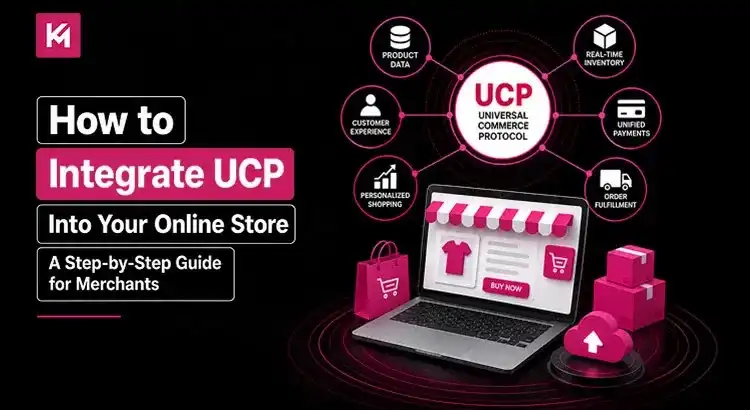
How to Integrate UCP Into Your Online Store: A Step-by-Step Guide for Merchants
A customer asks their AI assistant to find a pair of water-resistant trail running shoes under $150, check if they’re in stock nearby, apply a discount code, and buy them instantly. The assistant doesn’t just send a list of links; it completes the purchase right inside the chat window.
That shopper never visited a storefront, clicked a banner ad, or manually filled out a cart.
This isn’t a futuristic concept. It’s the reality of agentic commerce, and it’s powered by the Universal Commerce Protocol (UCP). Developed by Google alongside major retail players like Shopify, Walmart, Etsy, and Target, UCP creates a standardized, open-source framework for digital selling.
Think of UCP as the “HTTP for e-commerce.” It allows AI agents, search surfaces, apps, and stores to speak the exact same transactional language without custom coding for every platform.
If you want your products discoverable and purchase-ready across AI-driven surfaces, learning how to integrate UCP into your online store is essential. This guide breaks down what UCP means for your backend, how it works, and how to set it up step by step.
Did You Know?
Adobe Commerce supports not just Google’s UCP but OpenAI’s Agentic Commerce Protocol (ACP) as well. UCP on Adobe Commerce helps merchants reach shoppers across distinct AI platforms without relying on a single ecosystem.
What Is UCP and Why Should Merchants Care?
Traditionally, online retail relies on getting humans to visit your site. You spend money on SEO, paid ads, and UX design to guide a person through your specific sales funnel.
UCP shifts commerce from a destination to a background utility.
Instead of building individual integrations for every search tool, AI bot, or social platform (an $N \times N$ engineering headache), you expose your store’s business capabilities through a single UCP endpoint. AI surfaces like Google Gemini or AI Mode in Search can query your inventory, apply your discount rules, create a session, and finalize payment natively.
+——————+ +————————-+ +———————+
| AI Surfaces | | Universal Commerce | | Your Merchant |
| (Gemini, Search, | <—–> | Protocol (UCP) Layer | <—–> | Store & ERP |
| AI Assistants) | | (Standard REST/MCP/AP2) | | (Merchant of Record)|
+——————+ +————————-+ +———————+
Key Benefits of UCP for Online Merchants
- You Remain the Merchant of Record: You retain direct control over your brand, order fulfillment, post-purchase communication, and customer relationships.
- Massive Distributed Reach: Products become instantly buyable across high-intent conversational channels without managing multiple custom channel connectors.
- Zero Custom API Overhaul: UCP sits on top of existing retail APIs, REST standards, and JSON schemas.
- Secure, Cryptographic Authorization: Built-in compatibility with the Agent Payments Protocol (AP2) tokenizes user data and handles payment authorizations securely.
How UCP Handles Store Integrations
Before writing any code, you must decide how deep your integration needs to be. UCP supports three primary communication mechanisms depending on your tech stack:
3 Core Ways UCP Handles Store Integrations
| Integration Method | Best Used For | Development Lift |
|---|---|---|
| Native REST APIs | Custom e-commerce platforms, headless setups, and direct backend control. | Medium – High |
| Model Context Protocol (MCP) | Stores already leveraging AI middleware, LLM tools, or internal AI agents. | Low – Medium |
| Platform-Native Plugins | Turnkey platforms like Shopify, BigCommerce, or Salesforce Commerce Cloud. | Minimal |
Step-by-Step Guide: How to Integrate UCP Into Your Online Store

Implementing UCP requires mapping your current catalogue, cart, and payment handling to the protocol’s unified endpoints. Follow these six clear steps to complete your merchant integration.
Step 1: Audit and Normalize Your Product Feeds
AI models require structured, real-time data to answer queries accurately. If your product titles are vague or your stock levels sync slowly, AI agents will simply ignore your store.
- Ensure your product database or Google Merchant Center feed uses clean, high-fidelity metadata (SKUs, GTINs, clear attributes, dynamic pricing).
- Set up real-time inventory webhooks to prevent out-of-stock orders.
- Standardize your variants (colours, sizes, bundles) so external protocol queries can resolve items cleanly without guessing.
Step 2: Set Up Capability Handlers and Endpoint Discovery
UCP operates on capabilities. When an AI surface connects to your store, it first sends a discovery request to check what your backend supports (e.g., standard checkout, dynamic discount codes, native payment tokens).
You’ll need to configure a discovery route on your server:
GET /.well-known/ucp-configuration
This returns a JSON payload declaring your store’s supported UCP features, transport protocols (REST/MCP), payment handlers, and API versioning schemas.
Step 3: Implement Core Transaction Endpoints
UCP relies on standard REST/JSON endpoints to execute the checkout lifecycle. You’ll set up server routes that handle cart generation, tax calculations, shipping options, and coupon applications.
The standard transaction flow involves three main API triggers:
- POST /checkout-sessions
Accepts item payloads, buyer data, and currency specifications. Your server creates a temporary checkout session, validates stock, and returns itemized totals. - POST /checkout-sessions/{id}/fulfillment
Calculates live shipping rates and options based on the buyer’s geographical location provided by the AI agent. - POST /checkout-sessions/{id}/discounts
Applies promotional codes, loyalty balances, or tier-based discounts in real time during the agent’s interaction.
Step 4: Configure Tokenized Payment Processing
You don’t need to rebuild your payment gateway. UCP decouples payment details using cryptographic authorization tokens via protocol standards like AP2.
- Connect your existing payment processor (Stripe, Adyen, Visa, Mastercard, PayPal).
- Map incoming tokenized payment instruments from UCP requests directly into your processor’s capture logic.
- Card numbers never touch plain-text payload fields during transmission, keeping your infrastructure PCI-compliant.
Step 5: Test via the UCP SDK and Reference Servers
Before opening your integration to live AI agents, test your setup locally or in a sandbox environment.
- Clone the official open-source UCP Python/Node SDK repository.
- Run automated test suites to simulate AI agent queries, item selections, and checkout actions.
- Verify that idempotency keys, cart recalculations, and database record locks prevent duplicate orders.
Step 6: Monitor Data Metrics and Order Lifecycles
Once live, UCP orders flow right into your standard order management system (OMS) or ERP.
Monitor post-purchase events through UCP’s standardized order updates. This lets AI agents provide tracking updates, delivery notifications, and return options to shoppers automatically.
Real-World Examples: How Merchants Win with UCP
Scenario A: The Apparel Retailer
An apparel merchant integrates UCP with their Shopify engine. A user on Google Gemini asks for an outfit recommendation for a winter wedding in Chicago. The AI selects a wool suit from the retailer’s inventory, verifies the buyer’s sizing profile, applies a 10% seasonal discount, and completes payment in a single step, without the customer ever navigating the merchant’s site.
Scenario B: The Specialty Grocery Store
An artisan food brand uses UCP to expose real-time local stock data. When a home chef asks a voice assistant for an authentic carbonara recipe, the assistant adds the merchant’s imported guanciale and Pecorino Romano directly into a unified cart, scheduling local door delivery seamlessly.
Practical Tips for a Frictionless UCP Rollout
- Prioritize Idempotency: AI agents may retry HTTP requests if networks lag. Always validate idempotency-key headers on checkout routes so you don’t charge customers twice.
- Keep Feeds Updated: If an AI assistant sells an out-of-stock item because your catalogue feed updates only once a day, your fulfillment rates suffer. Move toevent-driven webhooks.
- Support Embedded Options: If your checkout relies heavily on custom branding, upsell flows, or complex terms, use UCP’s embedded checkout specs. This renders your custom checkout steps securely within an iframe instead of relying exclusively on native platform rendering.
Frequently Asked Questions (FAQs)
Does implementing UCP mean giving up my customer data?
No. You remain the Merchant of Record. You capture customer details, handle shipping, control post-purchase support, and maintain full ownership of your client relationships.
Is UCP expensive to integrate?
Because UCP is an open-source standard, there are no licensing fees to use the protocol itself. Development costs depend on your existing infrastructure and whether you’re using platform plug-ins or building custom API handlers.
How does UCP handle custom promo codes and discounts?
UCP provides dedicated payload objects for discounts. The AI agent passes the code to your backend endpoint, your business logic validates it, and the updated price updates live within the transaction session.
What happens if a platform doesn’t support my payment gateway?
UCP uses standard payment handler abstractions. As long as your gateway supports modern tokenized transactions (like Stripe, Adyen, or major card networks), it maps directly into UCP’s payment primitives.
Conclusion: Next Steps for Merchants
The shift to protocol-driven e-commerce is transforming how customers find and buy products. By getting your store ready today, you ensure your products remain visible across every conversational tool, AI assistant, and smart device.
Review your catalogue data quality, explore the open-source UCP specifications on GitHub, and start building your discovery endpoints. Your future customers are already asking AI where to shop; make sure your store has the answer ready.
Looking to integrate UCP into your online store? If yes, Kinex Media’s experts can help you a lot. Get in touch with us now for a free UCP integration consultation today.

