


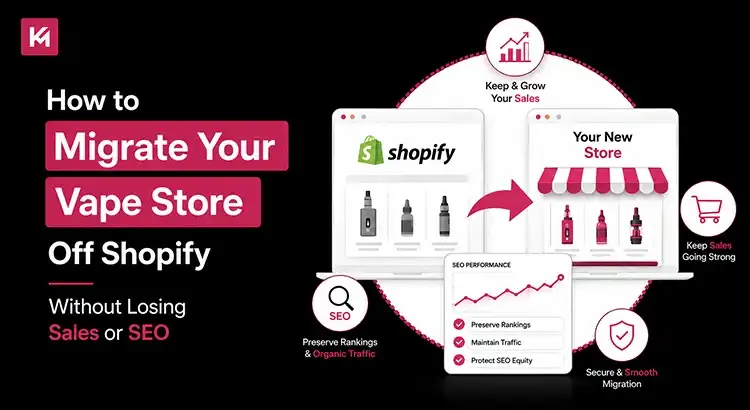
How to Migrate Your Vape Store Off Shopify Without Losing Sales or SEO
If your Shopify vape store has been caught in the platform’s sudden regulatory compliance sweep, you do not need a recap of what happened. You already know the stakes: years of hard-earned organic traffic, thousands of repeat buyer records, and your daily cash flow are all on the line. But a platform ban does not mean your business has to vanish into thin air. The U.S. online vaping sector is currently registering its fastest e-commerce growth rate yet, commanding a massive slice of North America’s 43.5% global revenue share.
The customer demand is still there; you just need a secure place to capture it. The secret to survival is executing a strategic technical migration that treats your data like gold and your search engine rankings like armour. This guide skips the generic fluff and breaks down the exact blueprint to transition your store off Shopify to an open-source infrastructure you completely control, without dropping your Google positions or losing a single sale.
Why Shopify’s Vape Ban Is an Absolute Business Crisis
For years, Shopify was the default e-commerce platform for small and mid-sized vape brands because of its plug-and-play ease of use. Many vape stores invested massive resources into building up their digital ecosystems.
- SEO equity: Building up years of organic domain authority, high-traffic keywords, and high-value internal links.
- Customer databases: Managing thousands of historical accounts, buyer preferences, and email subscription lists.
- Marketing funnels: Building automated email sequences, SMS workflows, and customer loyalty retention programs.
- Content hubs: Publishing extensive guides, blogs, and hardware reviews that generate free, high-intent traffic.
When a platform suddenly changes its terms of service, all these assets are immediately put at risk. A sudden account suspension means your storefront could disappear overnight, leaving your buyers confused and sending your daily sales straight to zero.
The Risk of a Rushed Migration: The 80/20 Rule
When panic sets in, it is highly tempting to make reactive, impulsive decisions to get your store back online. You might assume that a migration is a quick afternoon task.
The 80/20 Rule of E-commerce Migrations: Exporting your products and importing them into a new platform is only about 20% of the actual work. The remaining 80% is the hidden technical architecture, the URL tracking paths, internal metadata, database relationships, and structural redirects that keep your business alive.
If you ignore this underlying technical framework, the structural damage to your brand can be massive.
- Severe organic traffic drops: Google loses track of your pages, causing your top keyword rankings to drop by 50% or more within days.
- Broken consumer experiences: Repeat buyers try to access your site, hit broken links, and assume your brand went out of business entirely.
- Lost data connections: Historical order logs, loyalty points, and email automation histories vanish into thin air.
But how can you expect search engines to keep recommending your store if your entire digital foundation changes without a clear map? By taking a methodical approach, you can transition your store seamlessly without giving up a single dollar of hard-earned organic traffic.

Phase 1: Choosing the Right Alternative Platform
The transition away from fully hosted systems marks a natural turning point for brands operating within highly regulated spaces. When your industry faces frequent compliance updates, moving your digital operations to an independent setup gives your brand the agility it needs to navigate changing landscapes smoothly.
Your top priority right now is securing long-term operational stability and direct ownership of your core data.
Why Open-Source Solutions Win for Regulated E-commerce
For high-risk verticals like vaping, self-hosted, open-source options are the only sensible long-term choice. When you own the underlying code and lease your own private server space, no corporate compliance department can suddenly shut down your storefront.
- WooCommerce (WordPress): This option provides total, unrestricted control over your digital storefront. You own your databases, your file architectures, and your transaction logs outright. Because it features a massive global developer ecosystem, you can customize your checkout pipelines, age-gates, and tracking setups without platform limits.
- Adobe Commerce (Magento Open Source): If your vape brand manages high-volume enterprise operations, complex wholesale tier pricing, or multiple fulfillment warehouses, Magento offers a highly scalable architecture. It takes more development expertise to maintain, but it easily handles massive catalogue sizes.
Evaluating High-Risk Infrastructure Requirements
As you review alternative platforms, you need to look past basic design themes and focus heavily on technical compatibility. Your new digital setup needs to integrate perfectly with the unique tools required to run a compliant vape business.
- Merchant Account Freedom: Ensure the new platform allows you to integrate dedicated, high-risk payment processors like PaymentCloud, Fortress, or tailored Authorize.net setups without hitting you with extra transaction penalties.
- Age Verification Gates: Look for direct, frictionless integration with advanced age verification systems like AgeChecker.Net or BlueCheck that works smoothly during the checkout flow.
- Database Control: You need unrestricted access to your complete data backend so you can manage your records, configure custom database tables, and implement advanced privacy protocols easily.
Phase 2: The Backup Protocol
Never initiate a migration process while working directly on a live system without securing a clean snapshot of your database first. If your current administrative account gets restricted or paused mid-transition, you must have an offline copy of every single business asset.
Set up a dedicated, secure master folder on your local device and organize your manual CSV data pulls systematically.
Pulling the Product and Collection Catalogue
- Export full product details: Download your entire product catalogue as a raw CSV file, ensuring you capture all variant options, active SKUs, inventory tracking numbers, and exact pricing structures.
- Save product handles: Make sure the export includes the Handle column, which contains the exact URL path text used by Shopify.
- Archive high-resolution images: Download and save the raw image source URLs from your product spreadsheet so your new platform can crawl and pull your product visuals accurately.
- Document collection frameworks: Keep a manual log of how your products are categorized into collections, as this layout guides your store’s primary navigation menu.
Extracting Customer Accounts and Order Histories
- Export the complete customer directory: Pull your complete customer list, including names, verified shipping addresses, phone numbers, and historic order volume indicators.
- Understand the password limitation: For security reasons, e-commerce platforms never store readable passwords in plain text. When you transition to a new platform, your buyers will need to perform a quick password reset to reactivate their accounts.
- Secure the historical order log: Download the full order ledger detailing what your customers bought, when they bought it, and how much they spent, which is vital for customer support and future marketing segmentations.
Archiving Reviews and Editorial Blogs
- Extract product reviews: Use a dedicated exporter tool to capture all your product reviews, user-submitted photos, and star ratings, as these provide massive social proof that aids conversions.
- Download educational blog posts: Export every single blog article, device guide, and compliance update your team has written over the years.
Phase 3: The Technical SEO Preservation Strategy
This is the exact stage where organic traffic campaigns are either saved or completely ruined. Search engines don’t rank websites based on how attractive they look. They rank them based on historical authority tied to specific, individual web paths. If you change those paths carelessly, you break the connection.
Keep Your URL Slugs and Paths Identical
Shopify forces all online stores into very rigid, predictable structural patterns, such as placing items under /products/ and groups under /collections/. When you set up your new destination site, your best move is to force the new architecture to adopt these exact path structures without destroying your organic search authority.
If your new setup uses the exact same layout (for example, keeping [yourstore.com/products/mint-vape-juice](https://yourstore.com/products/mint-vape-juice) identical), search engine crawlers will experience a completely seamless transition.
The 301 Redirect Architecture
If you move to a framework that forces a structural change to your URLs, like altering your category directory paths from /collections/ to /product-category/, you must build an airtight structural map using permanent 301 redirects.
A 301 redirect is a technical message to search engine crawlers that states, “This page has moved permanently to this new location. Please pass our earned authority to the new destination.”
| Old Shopify URL Path | New Platform URL Path | Redirect Action |
|---|---|---|
| /collections/disposable-vapes | /shop/disposables/ | 301 Permanent Redirect |
| /products/classic-tobacco-pod/ | /item/classic-tobacco-pod/ | 301 Permanent Redirect |
| /blog/news/vape-coil-guide | /guides/vape-coil-maintenance/ | 301 Permanent Redirect |
Never map all your old pages to point lazily to your new home page. That triggers a structural error called a “Soft 404,” which strips away your internal keyword strength. Every old link needs to point directly to its closest relevant match on the new layout.
Transferring Meta Information and Structured Data
- Audit current metadata: Build a master spreadsheet containing every indexed URL on your site, alongside its specific meta title and meta description.
- Match headers identically: Ensure your main H1 page titles and subheaders remain exactly the same on the new site to prevent confusing search engine crawlers.
- Rebuild schema markup: Implement structured product schema data on your new pages so that pricing, active stock statuses, and user reviews continue to show up clearly in organic search snippets.
- Verify canonical tags: Configure your new platform to use clean canonical tags to prevent duplicate content issues from creeping in during the data import.
Phase 4: Launch Execution and Technical Auditing
With your data safely ported over and your structural redirect paths properly mapped, you are ready to plan your official launch. To ensure minimal disruption to your daily operations, schedule this launch phase during your lowest traffic hours, typically late at night or early in the morning.
Switch DNS Records and Install SSL
Point your domain name’s A records and CNAME paths to your new hosting server. Immediately deploy an active SSL certificate to ensure that your site completely uses secure HTTPS protocols across every page.
Check Redirection
If you launch your website and find a 404 error in Google Search Console, just do a 301 redirect, which tells the browsers and search engines that a URL has permanently moved to a new location.
Run End-to-End Checkout Tests
Process three real transactions using actual credit cards. Carefully verify that the age verification window pops up correctly, the payment processor tokenizes the data, state tobacco excise taxes apply accurately, and shipping confirmation emails fire off instantly.
Submit the New XML Sitemap
Log directly into your Google Search Console account. Upload your newly generated XML sitemap file to notify search engine crawlers that they need to review your updated site architecture immediately.
Phase 5: Post-Launch Protection and Communication Strategy
The launch phase is finished, but your monitoring work is just beginning. The first month following a platform change requires steady attention to make sure small technical glitches don’t grow into major issues.
Keeping Your Active Buyers Informed
Your customers shouldn’t visit your store and wonder if you went out of business. Using a multi-channel approach keeps your buyers in the loop and prevents drop-offs during your platform transition.
- Email Reactivation: Send a direct email framing the migration as a major system upgrade. Provide a single-click link so they can securely reset their password, verify their age, and access their saved order histories.
- SMS & WhatsApp Alerts: Send a punchy text blast offering a small launch discount once they reactivate their account on your new platform.
- Social Media Pin & Bio Updates: Update your Instagram, X, and Facebook bios to point directly to your new home. Pin a clean graphic to the top of your profiles, reassuring buyers that their favourite products are still fully available.
- Live Chat Support: Install a proactive chat widget like Gorgias on your new checkout. This catches buyers who need quick help with password resets or locating past order details in real-time.
Monitoring Performance Metrics Daily
Keep a close eye on your analytical dashboards every single morning. Track your daily keyword rankings, organic traffic volumes, conversion percentages, and structural crawl issues closely.
If you notice a sudden drop in traffic to a specific product line, check your tracking tools immediately. You’ll likely find a broken link or a missing meta title tag that you can fix easily before it harms your long-term organic authority.
Internal Linking Suggestions
To ensure your new website maintains its search authority and provides a great user experience, consider implementing these internal linking structures during your rebuilding process:
- Link your high-traffic educational blog posts directly to the relevant product collection pages to guide readers smoothly from research to purchase.
- Cross-link related product variations or replacement parts like connecting specific replacement coils directly from the main vape kit product page.
- Add a dedicated resource section in your main navigation or footer that points to your compliance documentation and age verification guidelines.
Frequently Asked Questions
Will my vape store lose its Google rankings after migration?
No. You won’t if you do it right. By keeping your domain, matching your URL handles, and setting up proper 301 redirects, your search rankings will experience minimal fluctuation and stabilize quickly.
How long does a platform migration take?
A secure transition usually takes three to six weeks. While you can technically rush a basic site setup over a weekend, the extra time ensures your database, age gates, and vape payment gateway are fully tested.
Can I transfer customer passwords to the new store?
No. Modern security standards encrypt passwords as unreadable text. Your customers must do a quick password reset when they first visit your new platform to secure their accounts and view their order history.
What if Shopify suspends my store before I export my data?
Contact Shopify support immediately and request a temporary, 48-hour administrative window to download your files. To avoid this stress, make it a habit to export your product and customer CSVs weekly.
How do I handle recurring subscriptions?
You must securely export your active subscription tokens from your current setup and import them into a high-risk-friendly subscription tool. This keeps your monthly e-liquid or pod shipments active without forcing buyers to sign up again.
How Kinex Media Protects Your Store’s Rankings and Sales After Migration
Moving your online business off Shopify can certainly feel like an overwhelming hurdle, but it is also a powerful opportunity to claim true independence for your brand. By moving your store onto open-source, self-hosted e-commerce infrastructure, you are protecting your business from sudden policy changes and setting yourself up for long-term growth.
Success comes down to simple preparation: back up your data systematically, map out your technical URL structures carefully, test your checkout pipeline thoroughly, and keep your communication with your customers transparent.
If you need help auditing your current e-commerce setup, looking for the best e-commerce platform for vape shops, mapping out your technical redirect paths, or building a secure, open-source store that you completely own, reach out to Kinex Media today for a comprehensive strategy consultation.

