


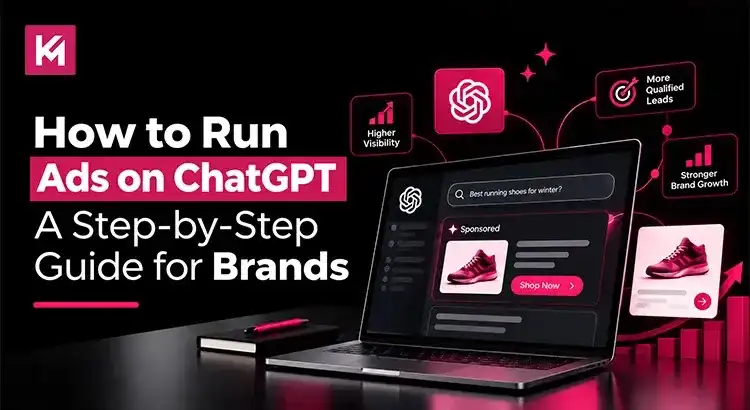
How to Run Ads on ChatGPT: A Step-by-Step Guide for Brands
To run ChatGPT ads, you sign up for OpenAI’s self-serve Ads Manager at ads.openai.com, verify your account, and build a campaign with ad groups and ads. Self-serve access is available in Canada, the US and many other countries. As an OpenAI Select Partner, we’ve tested ChatGPT ads through a campaign for our own website services. Throughout this guide, we’ll share what we learned alongside the practical steps you need to launch your own campaign.
Key Takeaways
- ChatGPT ads are bought in OpenAI Ads Manager, which is currently in beta.
- Ads appear below ChatGPT answers for Free and Go users only.
- The minimum daily budget is 25 USD or 25 CAD.
- You target with context hints that describe your offer, not with keywords.
- Ads don’t change ChatGPT’s answers, and advertisers can’t see users’ chats.
What Are ChatGPT Ads?
ChatGPT ads are sponsored placements that appear below the end of a ChatGPT response when your offer is relevant to the conversation. They’re clearly labelled as sponsored and kept separate from the answer. OpenAI started testing ads in the US on February 9, 2026, and opened self-serve buying through Ads Manager Beta after a pilot that ran from February to April 2026.
Who Sees ChatGPT Ads?
| ChatGPT plan | Sees ads? |
| Free | Yes |
| Go | Yes |
| Plus, Pro | No |
| Business, Enterprise, Edu | No |
| Users identified as under 18 | No |
OpenAI also says ads don’t appear near sensitive topics such as personal health, mental health or politics.
Before You Start
You’ll need:
- A business based in a country where self-serve is available (Canada and the US both are; see Ads Manager availability)
- An OpenAI account tied to your work email
- Your logo, a payment method and billing details
- A landing page that matches the offer in your ad
- Square ad images (PNG or JPG)
How to Run ChatGPT Ads: Step-by-Step Guide
Step 1: Create your Ads Manager account
Go to ads.openai.com and sign in with your work OpenAI account or create one. Add your brand logo in Settings, set up billing, complete account verification and invite your team. Ads can’t serve until verification and billing are done.
Step 2: Create a campaign and choose an objective
A campaign sets your goal, budget, dates and targeting. Pick one objective:
- Views (CPM): you pay per 1,000 impressions. Best for awareness.
- Clicks (CPC): you pay per valid click. Best for website traffic.
- Conversions: the system optimizes for a conversion event you choose, but you still pay per click (oCPC) or per 1,000 impressions (oCPM), not per conversion.
You can’t change the objective later, so choose carefully. Source: Create Campaigns for ChatGPT Ads.
Step 3: Set your budget and schedule
Choose a daily budget or a campaign-total budget. OpenAI recommends starting with a daily budget while you learn. Note that a daily budget is an average over a Sunday-to-Saturday week, so one day can spend up to twice the daily amount.
On your first campaign, start and end dates may only appear after you create it. If timing matters, don’t publish just to reach those settings, or your ads may start early.
Step 4: Choose where your ads run
Select the countries you want to target, and narrow down to states or provinces, cities, markets or postal codes where available. You can also choose platforms (iOS app, Android app, desktop web and mobile web) and include or exclude custom audiences.
New self-serve accounts may only be able to advertise on ChatGPT in their home country at first. Other countries open up after identity verification and a required level of spend.
Step 5: Build ad groups with context hints
Ad groups organize ads around one product, service or customer need. Instead of keywords, you add context hints: short, specific descriptions of what you offer and who it’s for. OpenAI’s own example: “cushioned everyday running shoes for beginners training for their first 5K” works better than “running shoes”. Context hints guide relevance; they don’t guarantee your ad shows in a particular conversation. Source: Create Ad Groups for ChatGPT Ads.
Step 6: Create your ads, Submit and Monitor
Each ad has a title, copy, a square image and a landing page. Every ad is reviewed against OpenAI’s policies before it can serve. Once it’s live, track impressions, clicks, spend, CTR, average CPC and CPM, and conversions if you’ve set up measurement. Impressions and clicks refresh about every 15 minutes, but spend can lag by 7 to 8 hours. Source: Quickstart: Launch your first campaign.
Not sure which objective or budget fits your business? Our PPC team can help you plan and set up a ChatGPT ads test.
How Much Do ChatGPT Ads Cost?
There’s no fixed price. You set your own budget and pay by impressions (CPM) or clicks (CPC). The minimum daily budget depends on your billing currency:
| Billing currency | Minimum daily budget |
| USD | 25 USD |
| CAD | 25 CAD |
| GBP | 15 GBP |
| EUR | 15 EUR |
OpenAI says it doesn’t yet have performance benchmarks across advertisers or industries, so be cautious with any “average CPC” figures you see online.
ChatGPT Ads Targeting Options
| Targeting | What you can choose |
| Location | Countries, plus states or regions, cities, markets and postal codes where available |
| Platform | iOS app, Android app, desktop web and mobile web |
| Audiences | Custom audiences to include (25,000+ matched users) or exclude |
| Context | Context hints in each ad group |
ChatGPT Ad Specs
| Element | Recommended | Maximum |
| Title | 16-24 characters | 50 characters |
| Copy | 32-48 characters | 100 characters |
| Image | Square PNG or JPG | 1200 x 1200 px |
What We Saw in Our Own ChatGPT Ads Test
Before recommending ChatGPT ads to anyone, we ran them for Kinex Media’s own website services in Canada. It was a small test, so treat these numbers as an early example, not a benchmark.
| Suggested ad | Our custom ad | Total | |
| Impressions | 2,067 | 2,494 | 4,561 |
| Clicks | 16 | 31 | 47 |
| CTR | 0.77% | 1.24% | 1.03% |
| Average CPC | CA$5.01 | CA$3.82 | CA$4.23 |
| Spend | CA$80.10 | CA$118.48 | CA$198.58 |
| Conversions | 0 | 1 | 1 |
Our own ad beat the suggested ad
Ads Manager can create a suggested ad from your website during sign-up. Our custom ad got a higher click-through rate (1.24% vs 0.77%) and a lower cost per click (CA$3.82 vs CA$5.01). It’s worth writing your own ad rather than relying only on the suggestion.
Most people saw the ad once
Frequency stayed around 1.1, so almost every impression reached a new person. With a small budget, that means broad reach but little repetition.
Set up conversion tracking before you launch
Ads Manager reminded us to attach conversion events to the campaign. Without them, you can see clicks but not what those clicks led to. Set up conversion events first, so you can judge results by leads, not just clicks.
Small budgets give small samples
With 47 clicks, our numbers can move a lot with just a few more clicks. Plan to run a test long enough, and with enough budget, to get a meaningful amount of data before deciding.
Best Practices for ChatGPT Ads
Write context hints around your customer’s problem
Describe the situation your customer is in, not just your product category. Ads appear inside a conversation, so a hint that matches what the person is trying to do is more useful than a broad label.
Keep one theme per ad group
Separate needs that require different messages or landing pages.
Match the landing page to the ad
OpenAI uses your landing page as a relevance signal, so the page should deliver exactly what the ad promises. Send people to a focused page with one clear next step, not your homepage.
Start small and test
Begin with a daily budget, test several ads per ad group, and adjust once you have data. Don’t copy your Google Ads targets over; set a separate baseline for ChatGPT ads.
Keep claims simple and allow time for review
Every ad is reviewed against OpenAI’s policies before it runs. Keep claims plain and backed up by your landing page, and leave time for review before a launch date.
Recheck the rules often
ChatGPT ads are in beta. Features, formats and availability change, so check OpenAI’s help center before each new campaign.
FAQ
Can anyone run ads on ChatGPT?
Businesses based in a country where self-serve is available can sign up at ads.openai.com. Canada, the US and many other countries are available; larger advertisers can also work with OpenAI’s ads team or partners.
How much does it cost to run ads on ChatGPT?
You set your own budget. The minimum daily budget is 25 USD in the US and 25 CAD in Canada, and you pay per 1,000 impressions or per click depending on your objective.
Where do ChatGPT ads appear?
At the end of a ChatGPT response, clearly labelled as sponsored. They appear only for users on the Free and Go plans.
Do ChatGPT ads affect ChatGPT’s answers?
No. OpenAI says ads run on separate systems from the chat model, and advertisers can’t shape or rank ChatGPT’s responses.
Do advertisers see what users type in ChatGPT?
No. OpenAI says it doesn’t share conversations with advertisers. Advertisers only get aggregated results such as views and clicks.
Getting Started With ChatGPT Ads
ChatGPT ads give brands another way to reach people while they research products, compare services, or look for solutions. But launching a campaign is only the first step. The real work is choosing the right audience and context hints, writing ads that match what people need, and tracking whether those clicks turn into enquiries or sales.
At Kinex Media, we help businesses approach ChatGPT advertising with a clear plan, from campaign setup and ad creative to landing page alignment and conversion tracking. As an OpenAI Select Partner, we also bring experience working with OpenAI technology. Our own campaign test gave us useful early insights, but every business needs to assess performance against its own goals and budget.
If you’re considering ChatGPT ads for your business, talk to our experts about planning a campaign that fits your objectives and gives you a practical way to measure results.

