


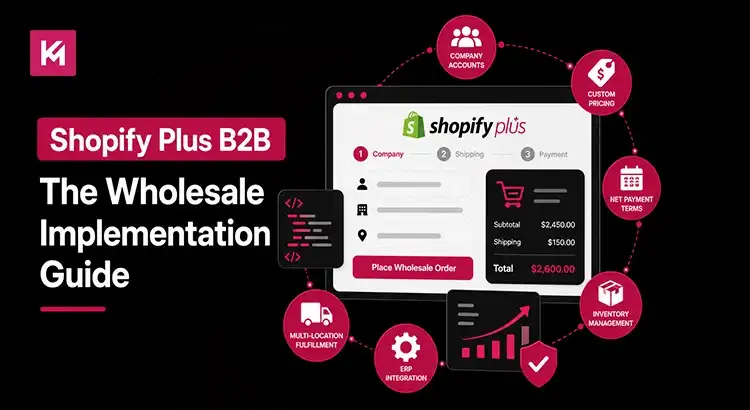
Shopify Plus B2B: The Wholesale Implementation Guide
Shopify Plus Wholesale Implementation allows businesses to manage B2B and direct-to-consumer (DTC) sales from a single Shopify store. With native features such as company accounts, custom pricing, product catalogues, payment terms, and self-service ordering, Shopify Plus eliminates much of the complexity traditionally associated with wholesale commerce.
If you’re planning to launch a wholesale channel, migrate from a legacy platform, or replace multiple third-party apps, this Shopify Plus B2B guide walks you through the implementation process step by step. You’ll learn how to set up B2B customers, configure catalogues and pricing, optimize checkout, avoid common mistakes, and build a scalable wholesale operation on Shopify Plus.
What Is Shopify Plus B2B (And Why Wholesale Brands Are Switching)
Shopify Plus B2B is Shopify’s native wholesale solution built directly into the Shopify Plus platform. It allows you to manage retail and wholesale customers from one backend instead of juggling multiple systems.
In the past, many brands relied on separate wholesale platforms, custom portals, or third-party applications. While those solutions worked, they often created duplicate product catalogues, disconnected customer data, and extra administrative work.
With Shopify Plus B2B, everything stays under one roof. You can create company accounts, assign custom pricing, offer payment terms, and manage wholesale orders without adding another platform to your tech stack. And that’s a big advantage. Fewer systems usually mean fewer errors, lower maintenance costs, and a better experience for both your team and your customers.
Who This Is For
Shopify Plus B2B works particularly well if you:
- Sell apparel to retail boutiques
- Supply consumer packaged goods to retailers
- Manufacture products for distributors
- Operate both DTC and wholesale channels
- Manage multiple wholesale customer groups with different pricing structures
If you’re running separate stores for retail and wholesale today, Shopify Plus can help bring those operations together.
Core Features Inside Shopify Plus B2B

The biggest reason brands choose Shopify Plus B2B is that the essential wholesale tools are built into the platform.
Company Profiles and Buyer Accounts
Instead of creating individual customer accounts, you can create company accounts. Each company can have multiple buyers, purchasing managers, or finance team members with different permissions. This makes account management much easier for larger wholesale customers.
Custom Catalogues and Pricing
Not every customer should see the same prices. Shopify Plus allows you to create custom catalogues for specific customers or customer groups. You can offer unique pricing, product selections, and discounts based on your business relationships. For example, a regional distributor may receive different pricing than a small independent retailer.
Quantity Rules and Minimum Orders
Wholesale orders often require minimum quantities. You can set minimum order quantities, case pack requirements, and purchasing rules that prevent buyers from ordering products incorrectly. This reduces manual corrections and improves order accuracy.
Net Payment Terms
In B2B commerce, many buyers prefer to purchase on credit rather than pay up front. Shopify Plus supports flexible payment terms such as NET 30, NET 60, and NET 90, allowing customers to place orders immediately and pay within the agreed timeframe. This flexibility helps strengthen business relationships, improve buyer satisfaction, and support larger, recurring wholesale purchases.
Self-Service Reordering
Self-service purchasing makes the buying process faster and more convenient for B2B customers. Buyers can log into their account, review past orders, and reorder products in just a few clicks without contacting a sales representative. This reduces manual work, saves time, and creates a smoother purchasing experience for both businesses.
Preparing for Shopify Plus Wholesale Implementation

Before jumping into setup, take time to prepare properly. A rushed implementation often creates problems later.
Prerequisites and Store Setup Decisions
First, you’ll need an active Shopify Plus plan because B2B functionality isn’t available on standard Shopify plans. Then you’ll need to decide between the following:
- Blended Store: Retail and wholesale operate within one store.
- Dedicated B2B Store: Wholesale runs on a separate expansion store.
A blended store works well for many businesses because it’s easier to manage. But if your wholesale experience differs significantly from your retail experience, a dedicated store may make more sense.
Planning Your B2B Strategy
Before configuring anything, ask yourself:
- Who are your ideal wholesale customers?
- What minimum order value should apply?
- Which pricing tiers will you offer?
- Should wholesale customers see all products?
- How will approvals work?
The clearer your answers are now, the smoother the implementation becomes later.
Step-by-Step Shopify Plus B2B Setup Guide

Creating Companies and Customer Accounts
Start by creating company profiles inside Shopify Admin. Each company can include:
- Business locations
- Multiple contacts
- Buyer permissions
- Payment terms
- Tax settings
You can also create approval workflows for wholesale applications using Shopify Forms and Shopify Flow. This helps ensure only approved businesses gain access to wholesale pricing.
One common mistake? Creating duplicate customer records. Always audit your customer data before importing accounts.
Building Custom Catalogues and Price Lists
Next, create product catalogues. Catalogues determine:
- Which products can customers see
- What pricing do they receive
- Which regions can access products
Let’s say you sell skincare products. A distributor might receive a 40% discount, while a boutique retailer receives 25%. Instead of managing those discounts manually, Shopify handles them automatically through assigned s.catalogues. This keeps pricing organized and reduces mistakes.
Configuring Payments, Shipping, and Checkout
Now it’s time to configure operational settings. This includes:
- Payment terms
- Manual payment methods
- Credit card storage
- Shipping rates
- Tax exemptions
- Currency settings
For example, you may offer NET 30 terms to established distributors while requiring upfront payment from newer retailers. You can also create shipping rules based on customer groups or geographic regions. The goal is to match checkout to your real-world business processes.
Customizing the B2B Storefront Experience
Your wholesale customers shouldn’t have the same experience as retail shoppers. You can customize:
- Product visibility
- Pricing displays
- Quick order forms
- Account dashboards
- Reorder tools
And because many buyers place orders from mobile devices, testing mobile usability is essential. If a customer can’t place an order easily from their phone, they’ll likely contact your sales team instead.
Benefits of Implementing Wholesale on Shopify Plus

The biggest advantage is efficiency. Managing retail and wholesale operations from one platform reduces complexity. Your team spends less time switching between systems, updating spreadsheets, and fixing errors.
Better Scalability
As your wholesale business grows, Shopify Plus can support larger catalogues, more customer groups, and higher order volumes. You won’t need to rebuild your entire infrastructure every time your business expands.
Improved Customer Experience
Wholesale buyers want convenience. They want to see their pricing instantly, reorder products quickly, and access account information without waiting for assistance. When you remove friction, customers tend to buy more often.
Stronger Data and Reporting
Because wholesale and retail data live in one ecosystem, reporting becomes more accurate. You can track:
- Customer lifetime value
- Average order value
- Repeat purchase behaviour
- Product performance
Those insights help you make better decisions.
Common Challenges and Pro Tips for Successful Implementation
While Shopify Plus provides powerful B2B capabilities, a successful implementation requires careful planning and execution. Understanding potential challenges early can help you avoid delays, reduce complexity, and create a better experience for both your team and customers.
Common Challenges
Some businesses encounter obstacles during implementation, including:
- Complex pricing structures that require custom configuration or development.
- ERP and third-party system integrations that need extensive planning and testing.
- Large product catalogues can become difficult to manage without proper organization.
- Incomplete or outdated customer data that slows migration and onboarding.
Best Practices for Success
To streamline your B2B setup and maximize efficiency:
- Clean and organize customer data before migration.
- Simplify pricing structures wherever possible.
- Thoroughly test different customer journeys before launch.
- Automate repetitive workflows with Shopify Flow.
- Install only the apps that deliver clear business value.
One of the most common mistakes businesses make is recreating outdated processes in a new platform. Instead of transferring every legacy workflow, use implementation as an opportunity to simplify operations, improve efficiency, and create a more scalable B2B experience.
Measuring Success and Optimizing Your Shopify Plus B2B Store
Launching your Shopify Plus B2B store is only the beginning. Long-term success depends on continuously monitoring performance, identifying friction points, and making improvements based on real customer behaviour.
Some of the most important metrics to track include:
- B2B conversion rate
- Average order value (AOV)
- Customer retention rate
- Repeat purchase frequency
- Customer onboarding completion rate
Beyond analytics, regularly review customer feedback, support tickets, and sales team insights. If multiple customers encounter the same issue or ask similar questions, it may indicate opportunities to improve your storefront, purchasing workflows, or onboarding experience.
Consistent optimization can have a significant impact over time. Small improvements to navigation, account management, checkout processes, or reorder functionality often lead to higher customer satisfaction, stronger retention, and increased B2B revenue.
Ready to Upgrade Your Wholesale Operations?
If you’re still managing wholesale orders through spreadsheets, emails, or disconnected systems, it may be time to consider a more scalable approach. A successful Shopify Plus wholesale implementation can streamline operations, improve the buyer experience, and help you manage both DTC and B2B sales from a single platform.
At Kinex Media, we offer Shopify Plus B2B wholesale implementation services tailored to manufacturers, distributors, and growing wholesale brands. From custom catalogues and pricing structures to ERP integrations and buyer account setup, our team helps businesses build a wholesale experience designed for long-term growth.
Ready to simplify your wholesale operations and scale with confidence? Explore our Shopify Plus B2B wholesale implementation services to get started.
Frequently Asked Questions
What is the difference between Shopify Plus B2B and the old wholesale channel?
The old wholesale channel relied on separate systems and workflows. Shopify Plus B2B is built directly into Shopify, creating a more unified experience.
Do I need Shopify Plus for wholesale selling, or can apps suffice?
You can sell wholesale using third-party apps, but Shopify Plus provides native B2B functionality with deeper integration and greater scalability.
How do I set up tiered pricing and custom catalogues for B2B customers on Shopify Plus?
Create catalogues within Shopify Admin, assign customer groups, and configure custom pricing for products or variants.
Can I run both retail (DTC) and wholesale in one Shopify store?
Yes. Shopify Plus allows businesses to operate DTC and wholesale channels from a single backend using a blended store approach.
What are the main limitations of Shopify Plus B2B, and how can I work around them?
Some businesses may require advanced custom pricing, ERP integrations, or specialized workflows. These can often be addressed through custom development, Shopify Flow automation, or carefully selected integrations.

