





Headless WordPress: Pros, Cons, Costs and When It’s Worth It
Headless WordPress keeps the WordPress editor your team knows and puts a separate front end in front of it that can be optimized for performance. This guide explains how it works, what it costs and where it causes problems, based on the headless sites our team builds and runs, including our own. By the end, you’ll know whether it fits your site or whether traditional WordPress is the better choice.
Key Takeaways
- Headless WordPress separates content management from the front end that displays it.
- Content reaches the front end through an API such as WPGraphQL or the REST API.
- Prebuilt pages can load fast, but publishing may wait for a site build.
- Previews, page builders and some plugins need extra development work.
- It suits busy, content-rich sites more than small brochure sites.
What is Headless WordPress?
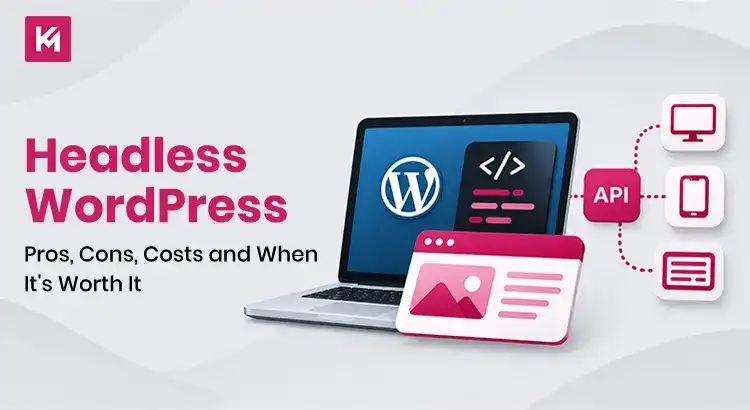
Headless WordPress is an approach to website development where WordPress manages content on the back end, while a separate application handles how that content is presented to visitors. Instead of relying on a WordPress theme to generate pages, the front end retrieves content through an API, such as the WordPress REST API or WPGraphQL.
In this setup, WordPress works as a headless CMS, so editors keep managing pages, blog posts, images and other content through the familiar dashboard. Developers can build the front end with technologies such as React, Next.js or Gatsby, depending on the project. If you want the bigger picture beyond WordPress, our guide to headless CMS vs traditional CMS compares the two models in general.
How a Headless WordPress Setup Works
A typical headless WordPress setup has four connected parts: the WordPress back end, an API layer, a separate front end and the hosting that keeps everything running. Here is how each one works on the sites our team builds.
The Back End: WordPress
Editors write pages, posts and product details in WordPress, just as they do today. On our builds, the WordPress back end runs on WP Engine’s headless hosting, on its own address separate from the public website.
The API Layer: WPGraphQL and the REST API
The front end needs a way to ask WordPress for content. WordPress includes a REST API that sends data as JSON. Many headless sites also use WPGraphQL, a free, open-source plugin that lets the front end request exactly the fields it needs. In our headless builds, we use WPGraphQL for most content requests and the REST API for Gravity Forms integration.
The Front End: React and Gatsby
The front end is the part of the website visitors interact with. Instead of a WordPress theme, a separate application displays the content retrieved from WordPress. Our headless builds use React with Gatsby, which pulls WordPress content through the gatsby-source-wordpress plugin and WPGraphQL. Other teams use frameworks such as Next.js. The front end handles page layouts, navigation and interactive elements, and its code and rendering approach have a big influence on speed.
Hosting and Builds
The front end needs its own hosting and deployment. Ours is hosted on Netlify. Our Gatsby sites are statically generated: pages are built ahead of time and served as files, so published changes go live after a successful rebuild and deployment. On our sites, a build usually takes about 10 minutes, depending on the amount of content and the hosting setup. Other setups use incremental updates or render pages on request instead.
Headless WordPress vs Traditional WordPress
| Area | Traditional WordPress | Headless WordPress |
| Front end | Uses WordPress themes to display content | Uses a separate front-end application |
| Content management | Content and presentation are managed within WordPress | WordPress manages content while another application handles presentation |
| Publishing | Changes generally appear after publishing, subject to caching | Updates may require a rebuild, revalidation or server-side rendering |
| Editing experience | Supports familiar visual editing and previews | May require custom previews and structured editing workflows |
| Plugins | Most front-end plugins work within the WordPress environment | Plugins that depend on WordPress themes may need custom integration |
| Performance | Depends on theme quality, hosting, caching and optimization | Can deliver fast pages with suitable rendering, caching and front-end optimization |
| SEO | Many SEO features are handled through WordPress themes and plugins | Metadata, structured data, sitemaps and redirects need front-end or host integration |
| Content distribution | Primarily designed around the WordPress website | Content can be delivered to websites, apps and other connected platforms |
| Development and maintenance | Usually requires WordPress development expertise | Requires WordPress and front-end development expertise |
| Overall cost | Generally more affordable to build and maintain | Usually involves higher development and ongoing maintenance costs |
Benefits of Headless WordPress
Headless WordPress can offer more flexibility in how a website is built and how its content is delivered. The benefits depend on the project and the way the front end is developed, so weigh them against the extra work involved.
Pages Can Load Faster
When pages are built ahead of time, the server doesn’t have to assemble each page while the visitor waits. Google notes that server-side rendering or pre-rendering makes a website faster for users and crawlers. Still, headless WordPress isn’t automatically faster. A well-built WordPress site with a lightweight theme, optimized images, good caching and a CDN can perform well too, while a front end with too much JavaScript can slow loading and responsiveness. A headless setup can support better Core Web Vitals, Google’s measures of loading, responsiveness and visual stability, but results need to be measured, not assumed.
Editors Keep WordPress
Your marketing team doesn’t have to learn a new CMS. Pages, posts, media and users stay in the WordPress dashboard. The dashboard stays familiar, although features such as page previews and visual layout editing may need a different workflow.
Full Design Freedom on the Front End
The front end isn’t tied to a WordPress theme. Developers can build custom layouts, interactive tools and app-like features in React without fighting theme limits. The same content can also be made available to other channels, such as mobile apps or customer portals, once the required integrations are built.
Less Reliance on WordPress for Public Pages
With a static front end, visitors load prebuilt pages without WordPress generating each public page request. That doesn’t make a site secure by default. The WordPress admin, APIs and plugins still need access controls, updates and monitoring.
Drawbacks of Headless WordPress (From Our Own Builds)
Previews Don’t Work Out of the Box
The default WordPress preview doesn’t show changes on a headless front end. Our team builds custom REST API endpoints for page previews, so editors can see content changes in real time without triggering a full Gatsby rebuild. Without this work, editors can’t see changes in the live design until after they publish.
Page Builders Need a Different Approach
Many page builders lay out pages through the WordPress theme, which a headless front end doesn’t use. On sites that used WPBakery, we store the content in custom fields in WordPress, and the front end handles the layout. Editors keep control of the words and images, while the design lives in code.
SEO Data Needs a Plan
Yoast SEO can provide SEO metadata, including schema, to headless sites through its REST API. Our current builds pull Yoast titles and descriptions through WPGraphQL. Other SEO outputs need explicit integration or a separate implementation, and sitemaps and redirects can be handled on the front end or at the host, such as Netlify redirects. Plan all of this from day one.
Forms Need an Integration
Many WordPress form plugins rely on the theme to display forms, so they need a separate front-end integration. We connect Gravity Forms through its REST API, so the form appears on the React front end, and submissions go back to Gravity Forms in WordPress.
Publishing Can Wait for a Build
Our statically generated Gatsby sites publish changes after a successful rebuild and deployment, which typically takes around 10 minutes. Not every headless setup works this way: some frameworks render pages on request instead. That’s fine for most marketing content, but it can frustrate teams that publish breaking news or change prices many times a day.
Two Systems to Maintain
A headless setup means maintaining WordPress and a separate front-end application, often on two hosts. Both need updates, monitoring, testing and ongoing support, and someone has to manage the connections between them, including APIs, integrations and deployments. This extra work is one reason headless WordPress usually costs more than a standard WordPress website.
If these trade-offs sound manageable, our headless WordPress development team can plan the setup with you, from the API layer to hosting and previews.
Headless WordPress Examples
The Kinex Media Website
Our own site runs headless. Content lives in WordPress, and the public site is built with React and Gatsby. Many lessons in this guide, from previews to build times, come from running it day to day.
Amerijet
Amerijet, a U.S.-based air cargo carrier, moved to a headless site built with Gatsby and React. Alongside a full redesign, the rebuild improved page speed from 5.3s to 1.4s, and quote request form submissions rose 122% within 3 months after launch. These results came from the redesign and the headless rebuild together, not from headless alone.
What Does Headless WordPress Cost?
There’s no single price, because cost depends on the site. These factors move the budget most:
- Number of templates: Each page type needs its own front-end template.
- Editor features: Live previews, flexible layouts and custom fields add development time.
- Integrations: Forms, CRM, search and ecommerce each need an API connection.
- Migration: Moving content from an existing site and keeping URLs and redirects adds work.
- Hosting and support: WordPress and the front end both need hosting, with costs depending on the provider and plan, plus ongoing care for both.
Expect a higher upfront cost than a theme-based WordPress site. A project estimate should cover the initial build, integrations, hosting and ongoing maintenance, so you understand the total cost before making the move. A written scope after a discovery call is the most reliable way to get a real number.
Is Headless WordPress Worth It?
When It’s Worth It
Headless WordPress makes sense when speed and design freedom matter to revenue, when your content feeds more than one channel, or when your team wants WordPress editing with a modern React front end. Larger, content-rich sites with a development partner tend to get the most from it. Our WordPress for enterprise websites guide covers more of what bigger sites need.
When to Stay With Traditional WordPress
Our view: if you run a small brochure site, depend on many front-end plugins, or need every change live the second you click publish, traditional WordPress is usually the smarter choice. A well-built theme on good hosting can be fast too. Headless solves real problems, but it creates new ones, so it should be a business decision, not a trend.
If you’re weighing a move to headless, our headless CMS agency and WordPress development teams can review your current site and tell you which setup fits. Book a free consultation.
FAQs
Is WordPress a headless CMS?
WordPress is a traditional CMS by default, because its theme displays your content. It can work as a headless CMS when a separate front end pulls content through the built-in REST API or a plugin such as WPGraphQL. Many teams run it this way while editors keep the familiar dashboard.
Is headless WordPress free?
WordPress, WPGraphQL and Gatsby are free, open-source software. The cost comes from building and hosting the front end, connecting plugins and maintaining two systems. A headless site usually costs more to build and run than a standard theme-based site.
Is headless WordPress faster?
It can be. Pages built ahead of time often load quickly because the server doesn’t assemble them for each visitor. Speed still depends on images, scripts, hosting, and how well the front end is built, so a poorly built headless site can still be slow.
Is headless WordPress good for SEO?
It can be, if SEO is planned into the build. Google says pre-rendering is still a great idea because it’s faster for users and crawlers, and not all bots can run JavaScript. Titles, meta descriptions, structured data, sitemaps and redirects each need to be connected to the front end or handled at the host, so they don’t get lost in the move.
Can I still use Yoast SEO with headless WordPress?
Yes. Yoast’s REST API can provide SEO metadata, including schema, for headless sites. Our current builds pull Yoast titles and descriptions through WPGraphQL. Any other Yoast output you want on the front end needs to be integrated explicitly.
Is headless WordPress suitable for a small business website?
It can be, but it’s not always necessary. A small business website with standard pages, contact forms and a blog often works well with traditional WordPress. Headless becomes more relevant when the business has specific front-end, content delivery, or integration needs that justify the extra cost and maintenance.

